Organizer view
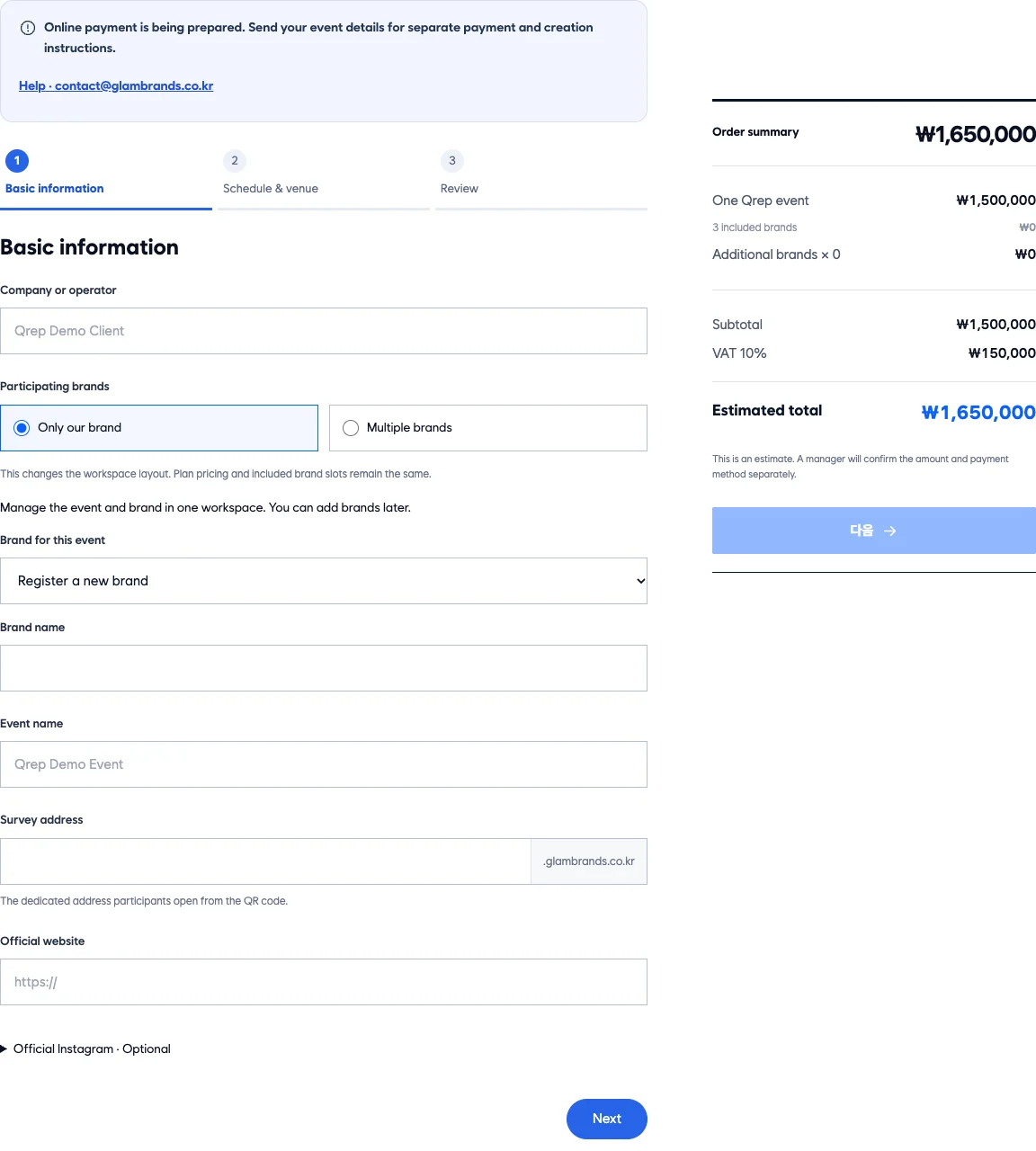
Enter the event name, dates and venue
Start with when and where your event takes place.

Ready-made features
Surveys, QR, reward checks, and brand results. No separate build.
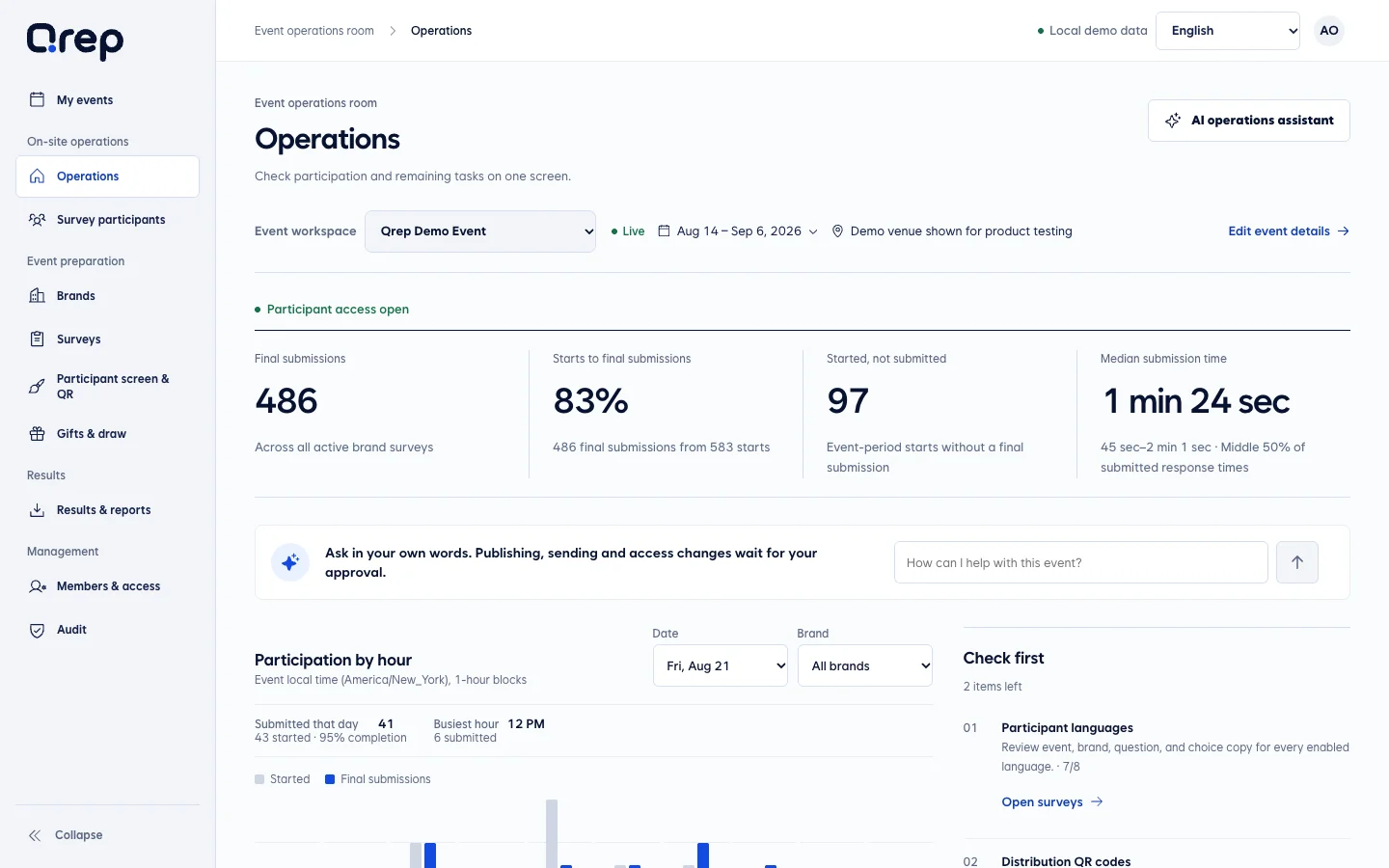
See only unfinished work and who needs to review it.
Set dates, venue, languages, and participating brands.
Review logos, questions, and what will be published.
Check the participant's mobile screen and the venue QR files.
See collection status and brand responses in one place.
Setup for organizers. Surveys for guests. Answers for brands.
Organizer view
Start with when and where your event takes place.
Participant view
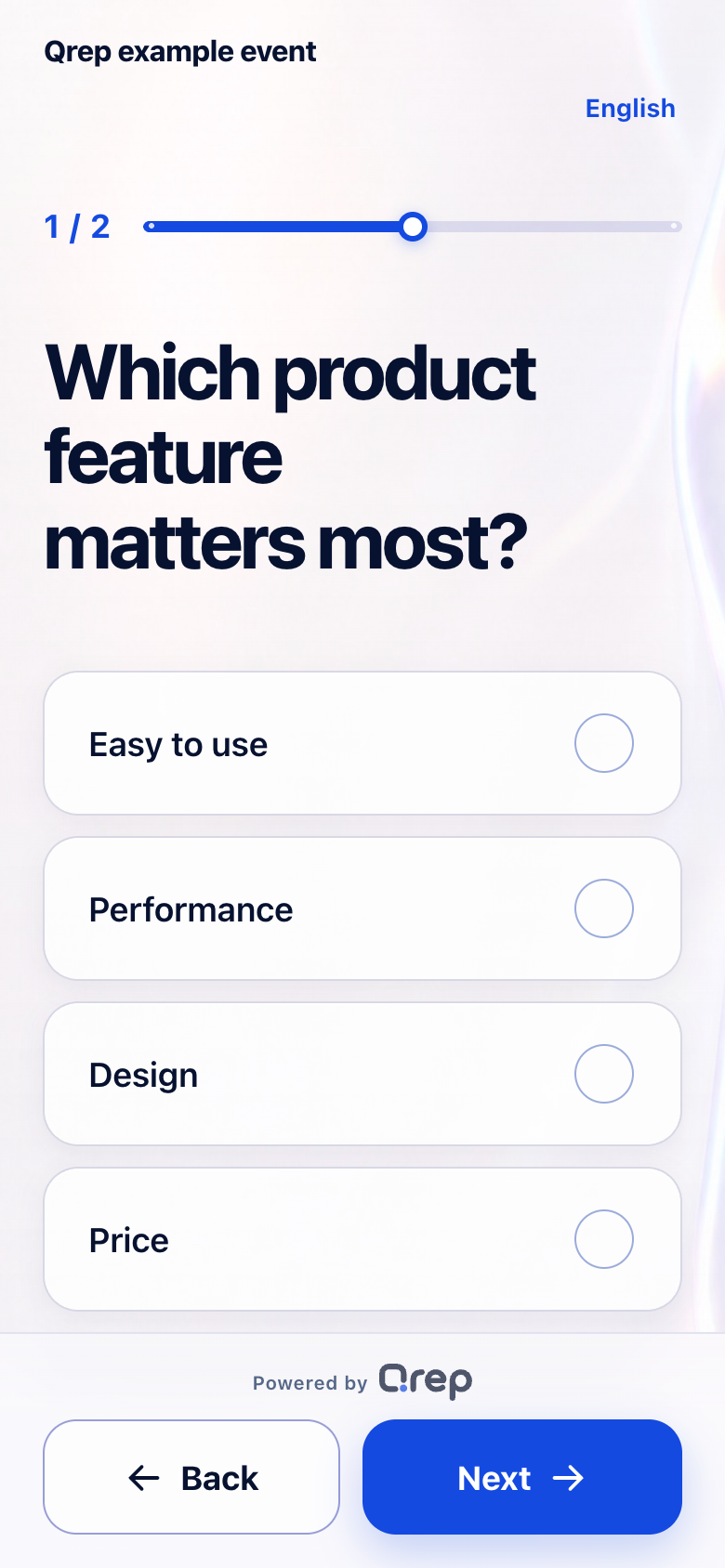
Guests enter by QR and see only the guidance and questions they need.
Brand survey results
Review each question’s choices, response counts, and percentages in a brand report.
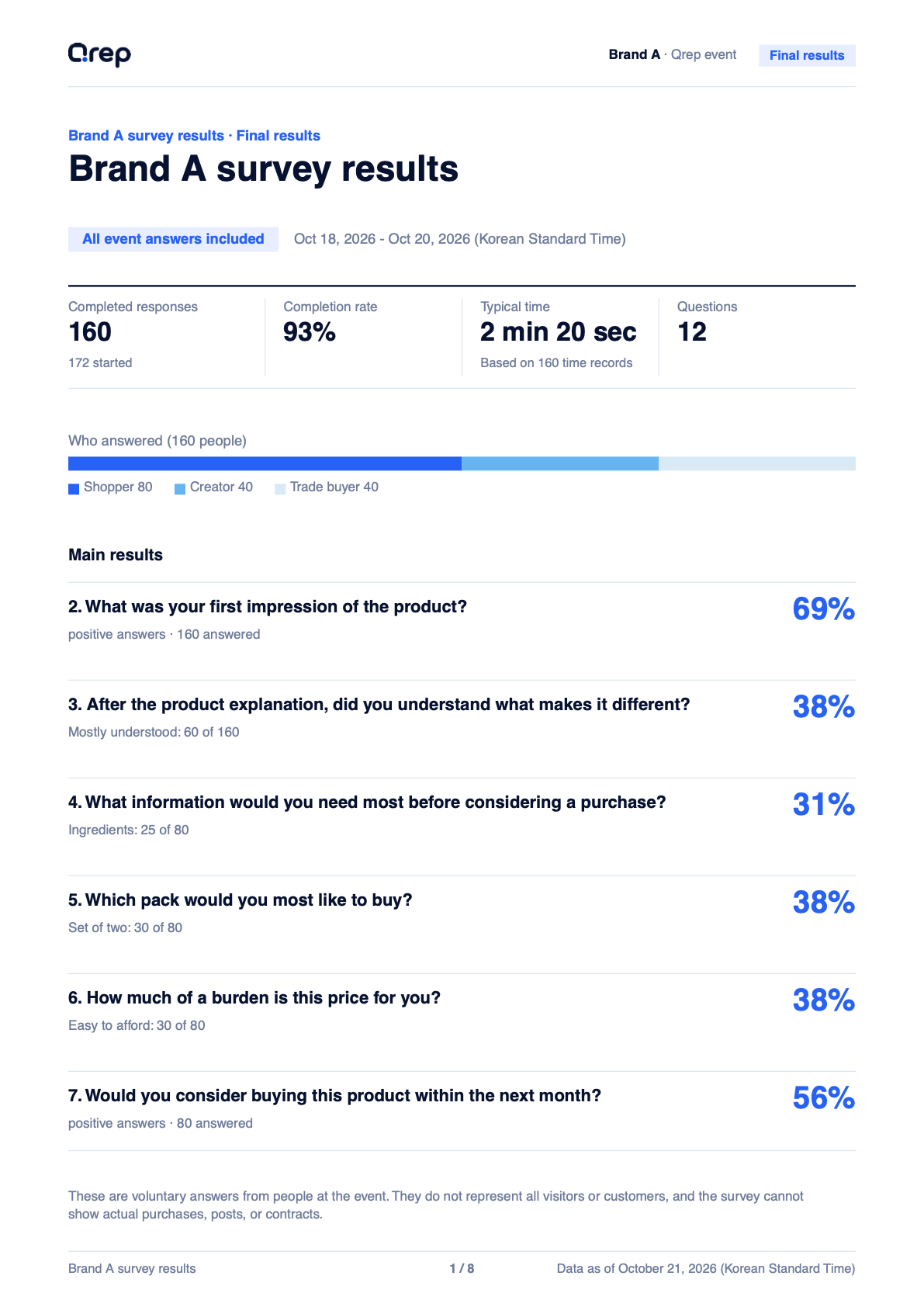
Numbers and answers are examples.
Organizers see event-wide starts, completions, and activity by date. Brand teams see answers to their own questions and differences between consumers and influencers.
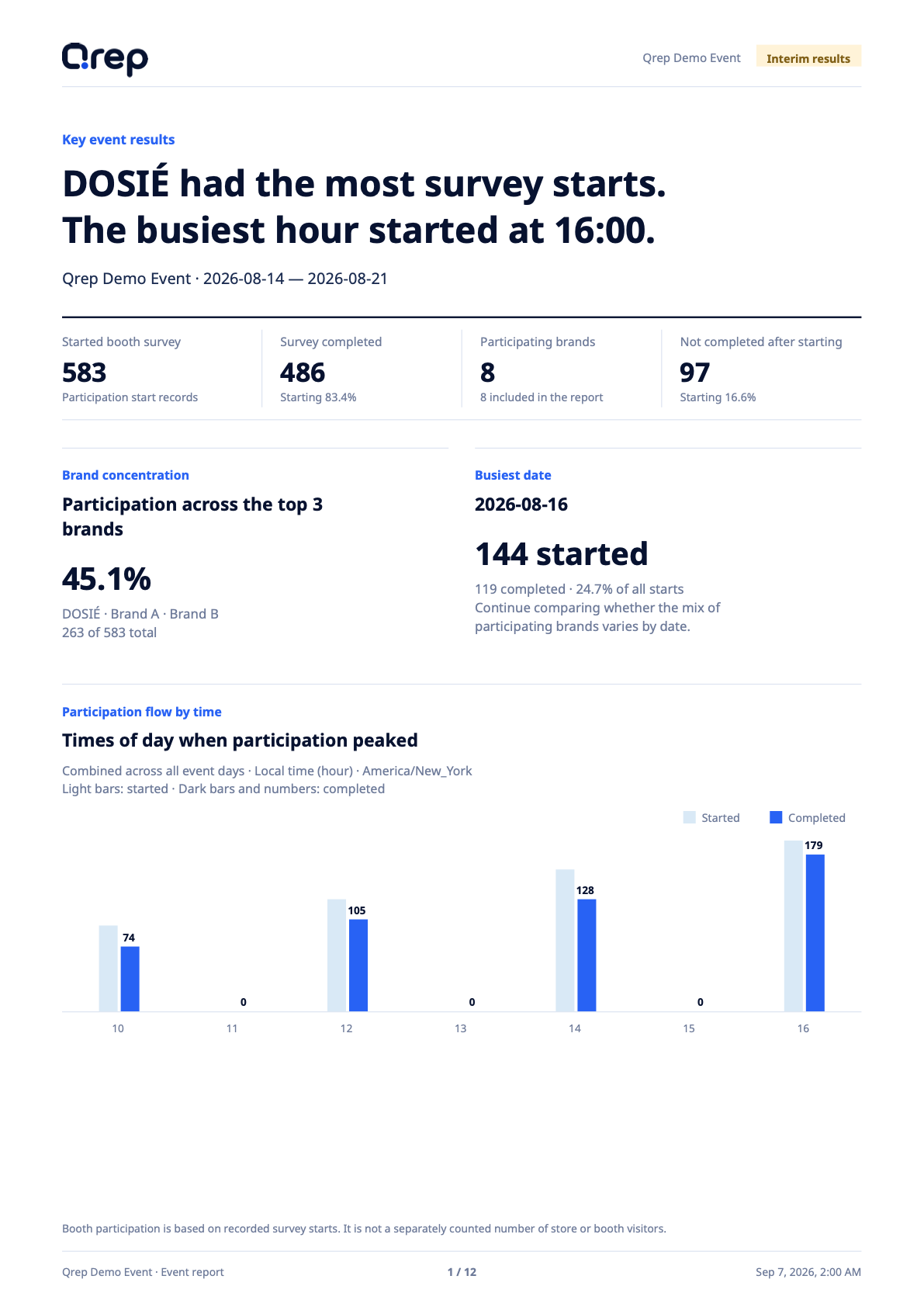
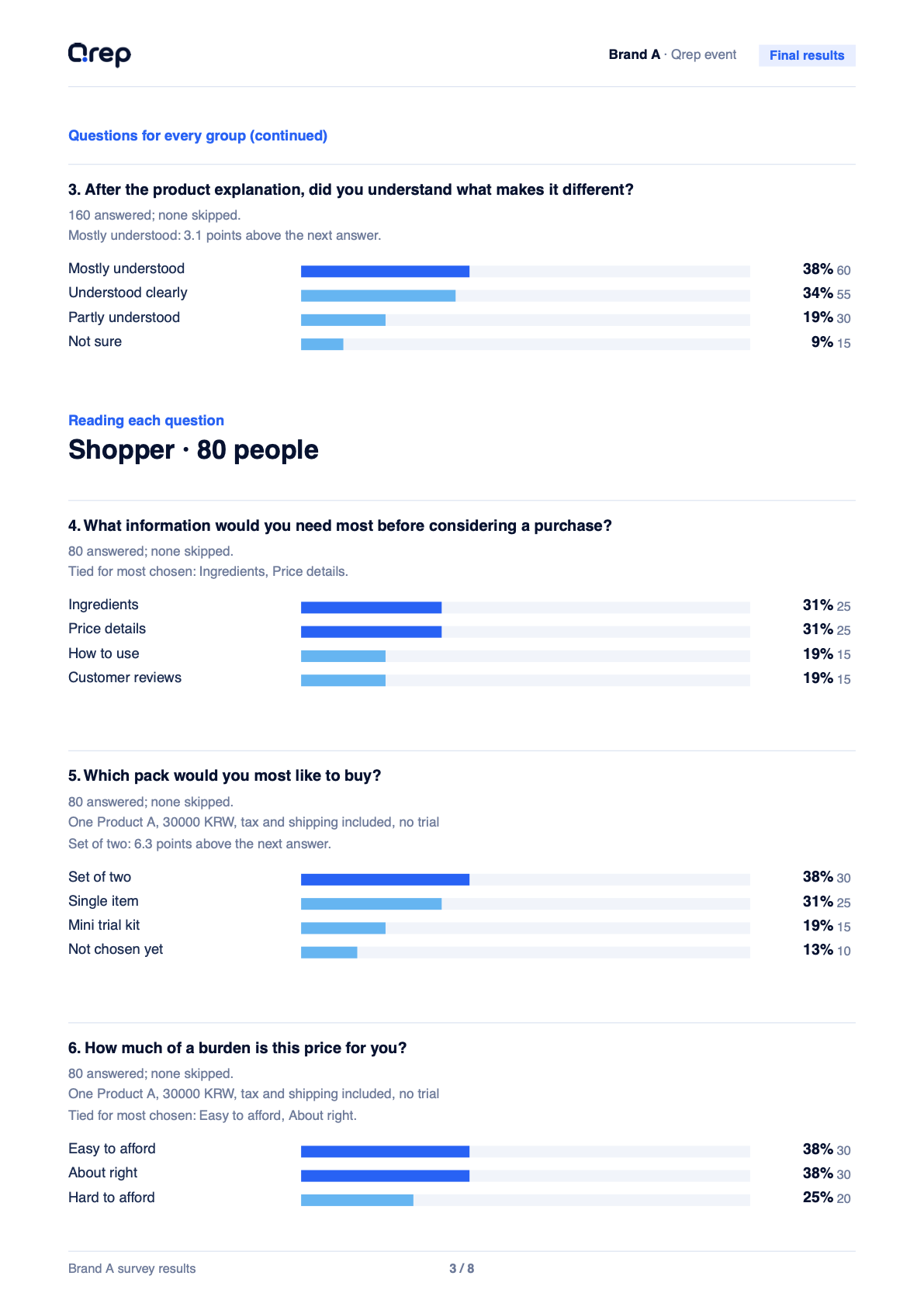
Organizers explain event operations, while brands gain evidence for the next product and campaign message.
From surveys and response collection to reports for each brand, we help you set up Qrep around your event size and operating model.
Online ordering coming soon