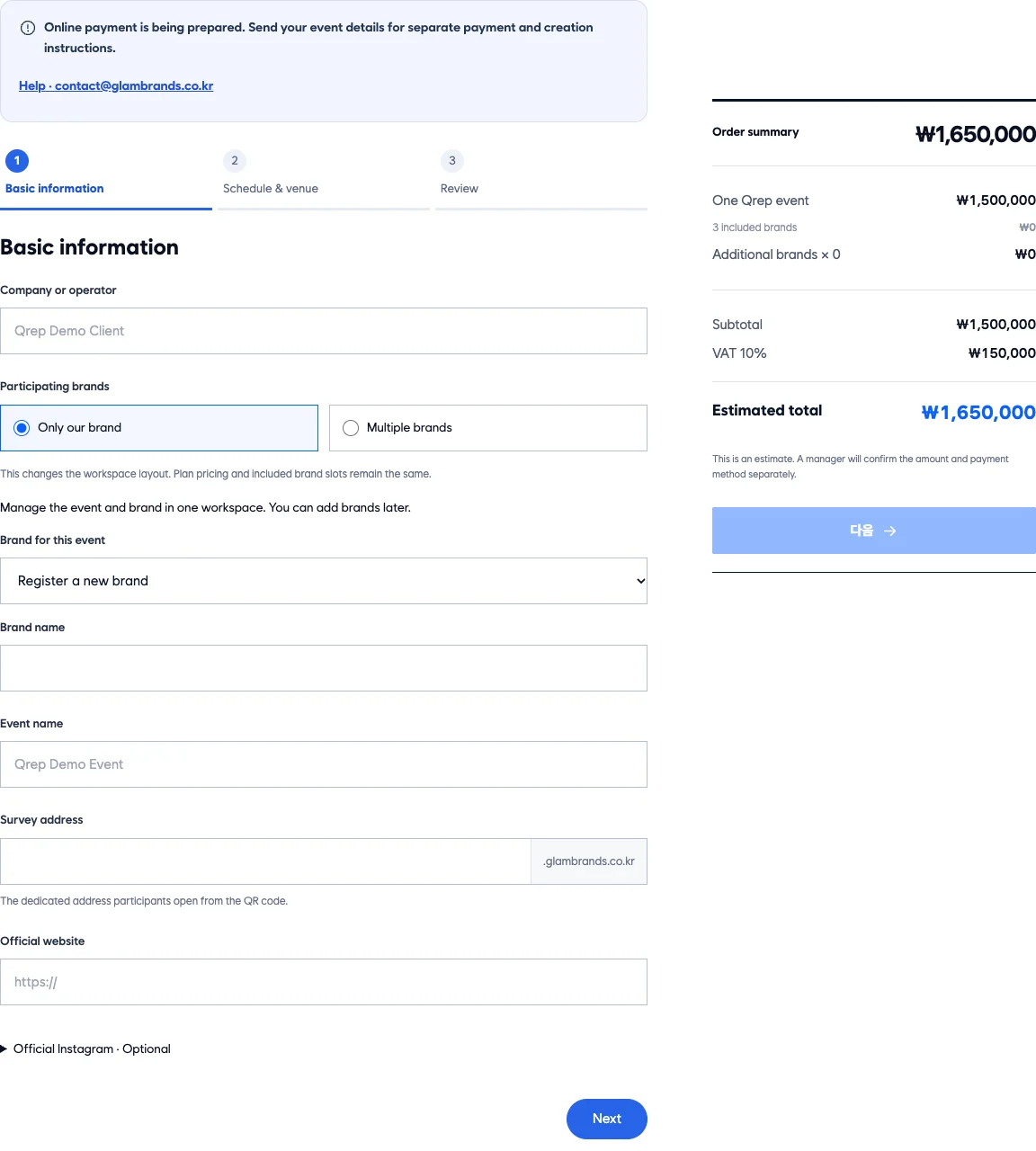
Start with a participation address for your event.
Enter the event name, dates, venue and survey languages. This is where you prepare the address participants will open and the details they will see.

A screen for every role
Organizers see all. Brands see their survey. Guests see the QR screen.
Organizer
See whether each brand has reviewed its logo and survey questions. At the venue, check unpublished surveys and remaining reward quantities.
Enter the event name, dates, venue and survey languages. This is where you prepare the address participants will open and the details they will see.
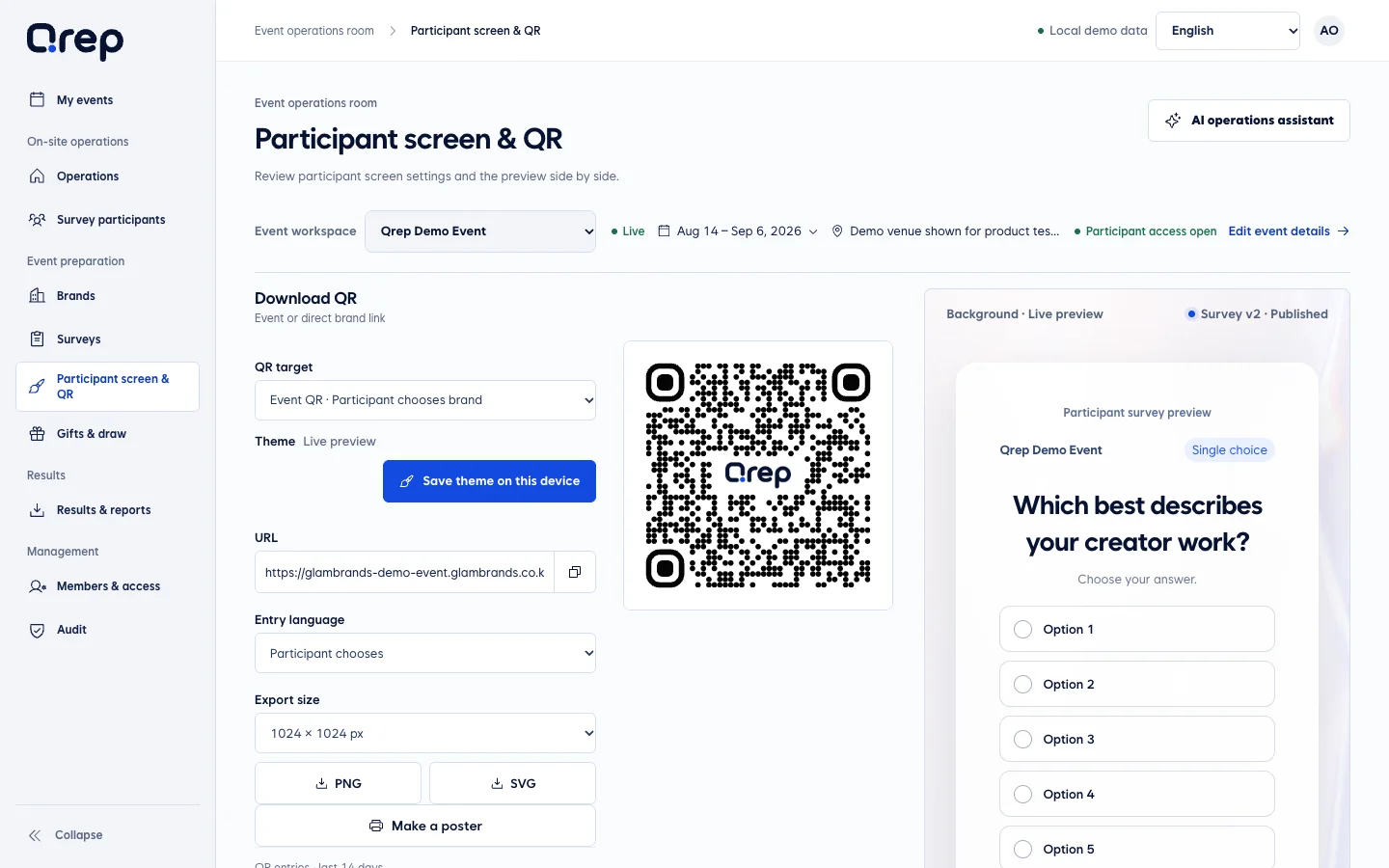
Apply your background and logo, then preview the survey. Review the QR that leads participants to the prepared screen in the same workspace.
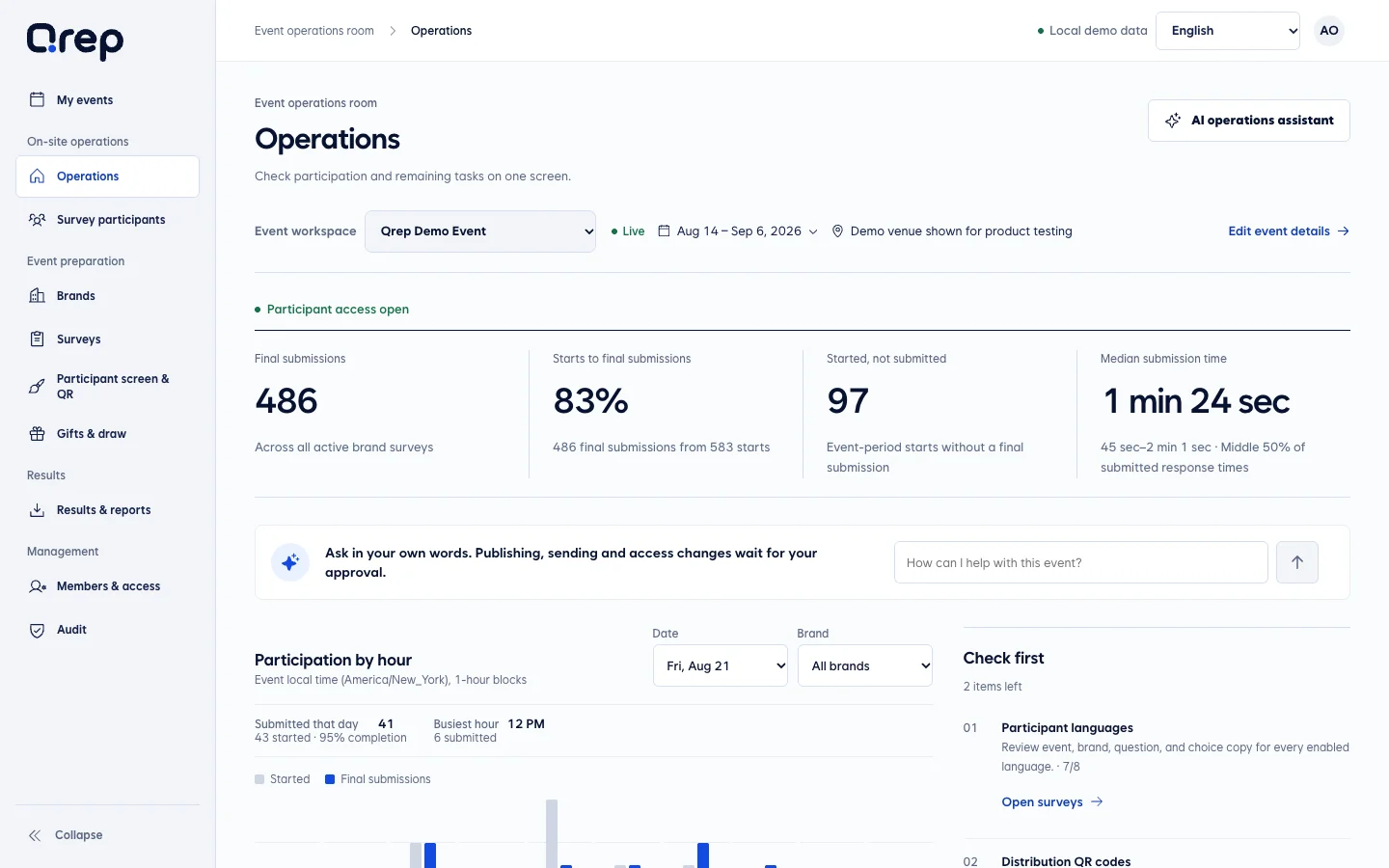
The operations screen shows each brand’s readiness and items that need attention. Continue into participation data and question progress to understand what is happening.
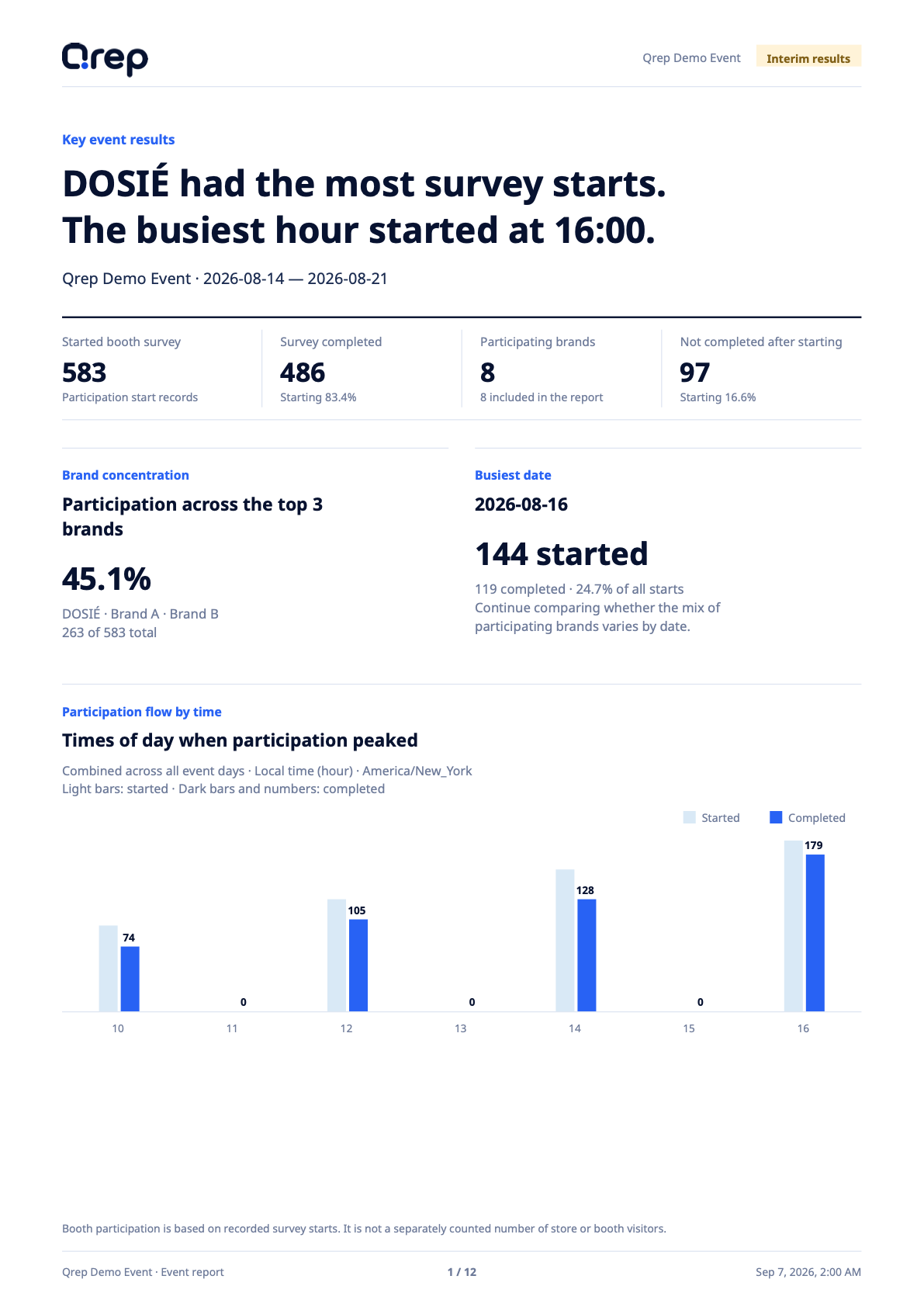
Review participation, completed responses, differences between brands and busy hours. The full current analysis and question appendix are available in the screen collection below.
Brand team
Review logos and questions without moving through other brands' materials, then see your own response results after the event.
The brand workspace leads to question review, winner handout and results. Staff can find the tasks they need during the event in one place.
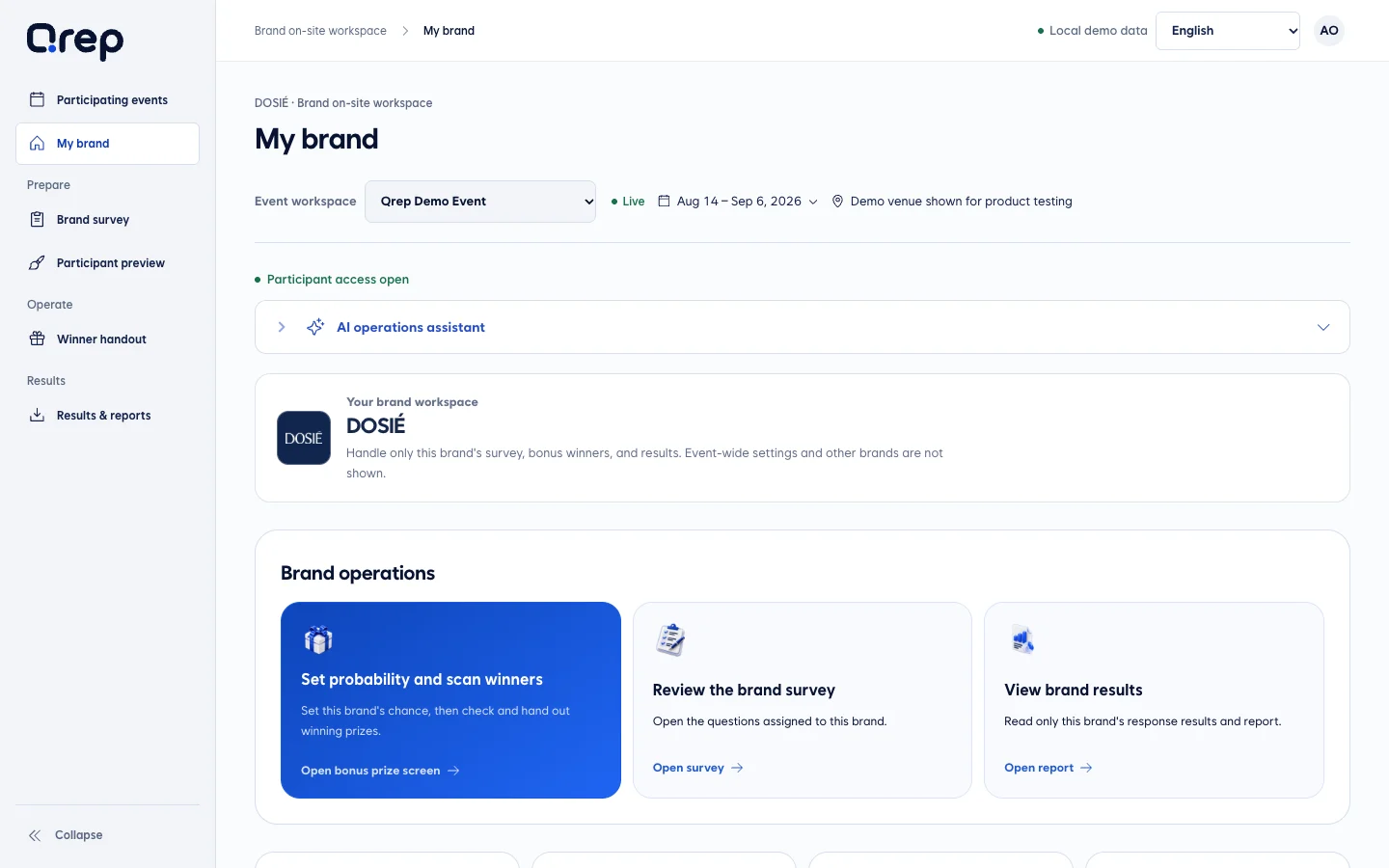
Review the questions and answer types assigned to your brand. Check that they fit the product experience and are easy to answer in the participant preview.
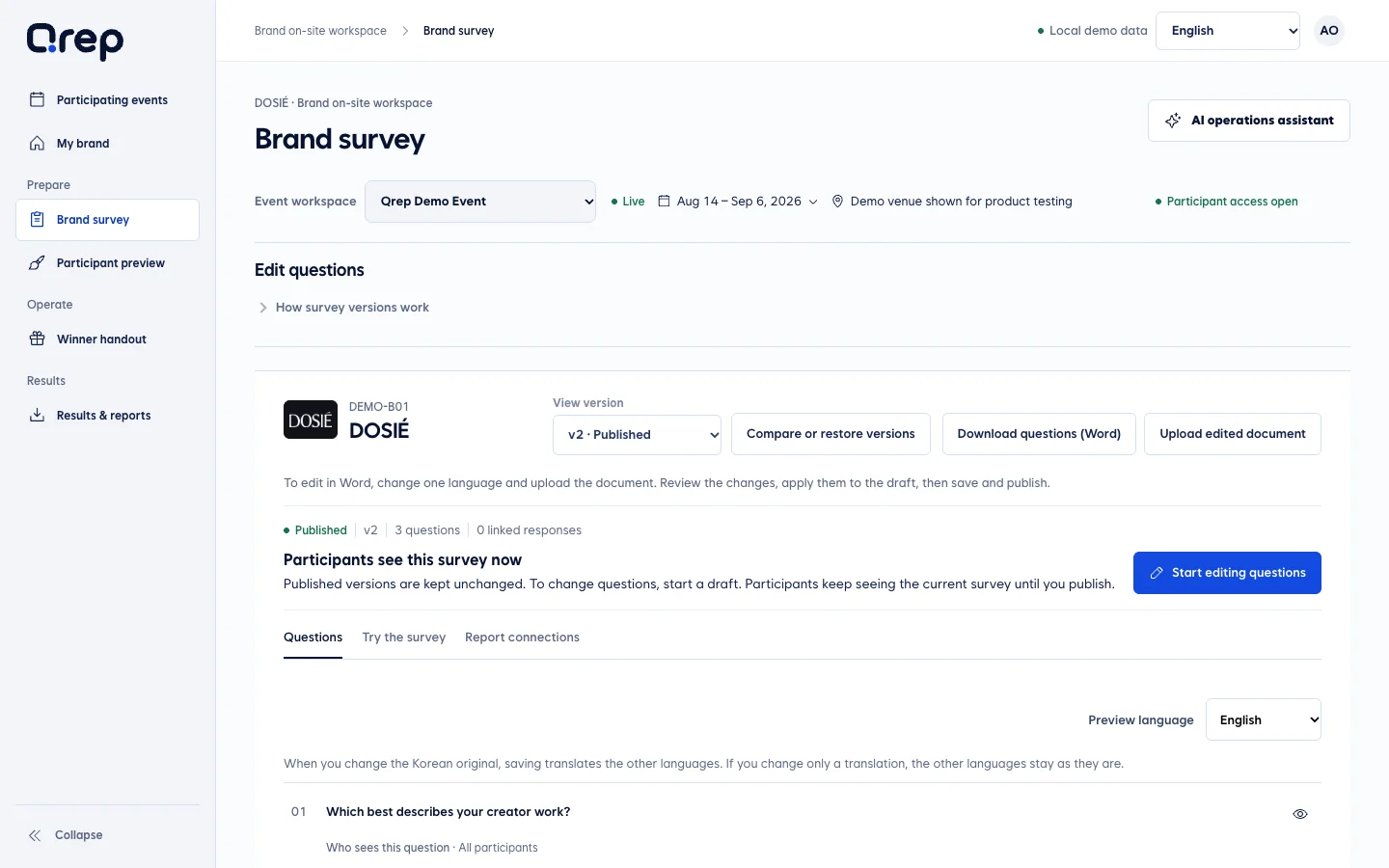
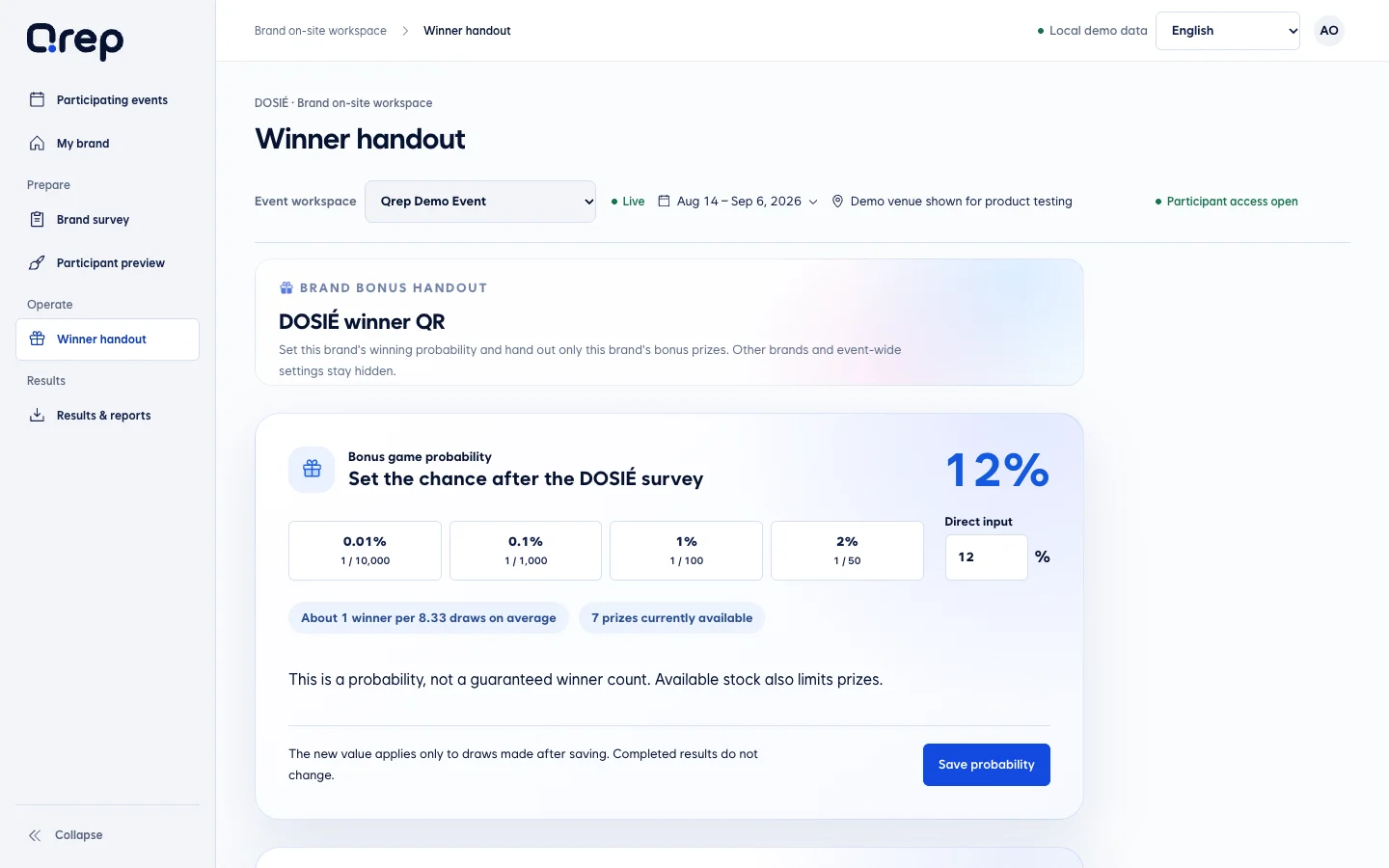
Staff scan a winner’s QR for their brand and review the prize to hand out. The base gift uses the survey completion screen; it follows a different process from a bonus prize.
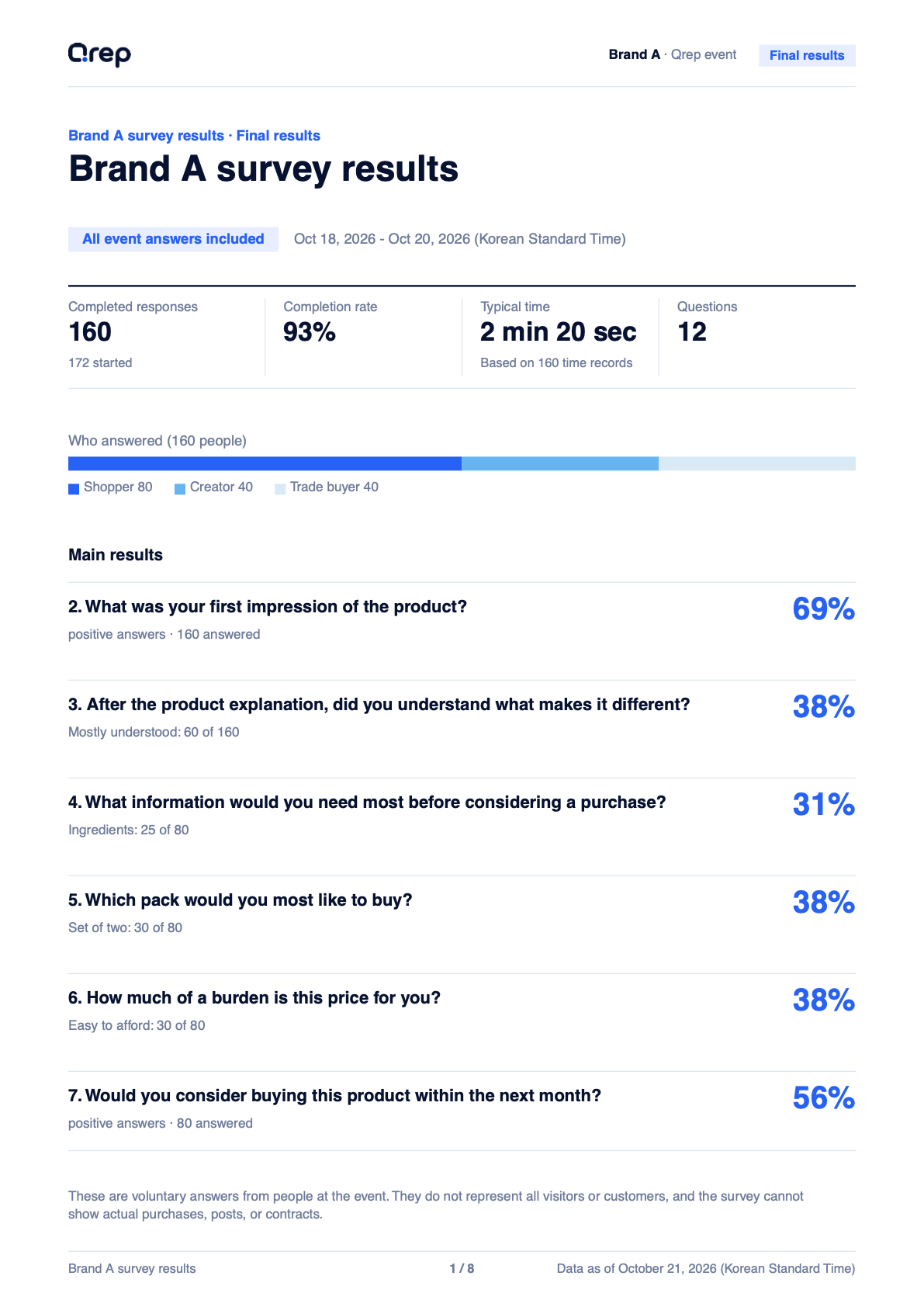
The brand report summarizes responses and shows counts and ratios by question. Read the summary alongside the detail pages to identify what to explore in your next product or event.
Participant
There is no app to install or set of links to find. Answer one question at a time and immediately check the available reward.
Check the event and brand, enter the requested details and read the privacy information. Then give consent and continue to the questions.
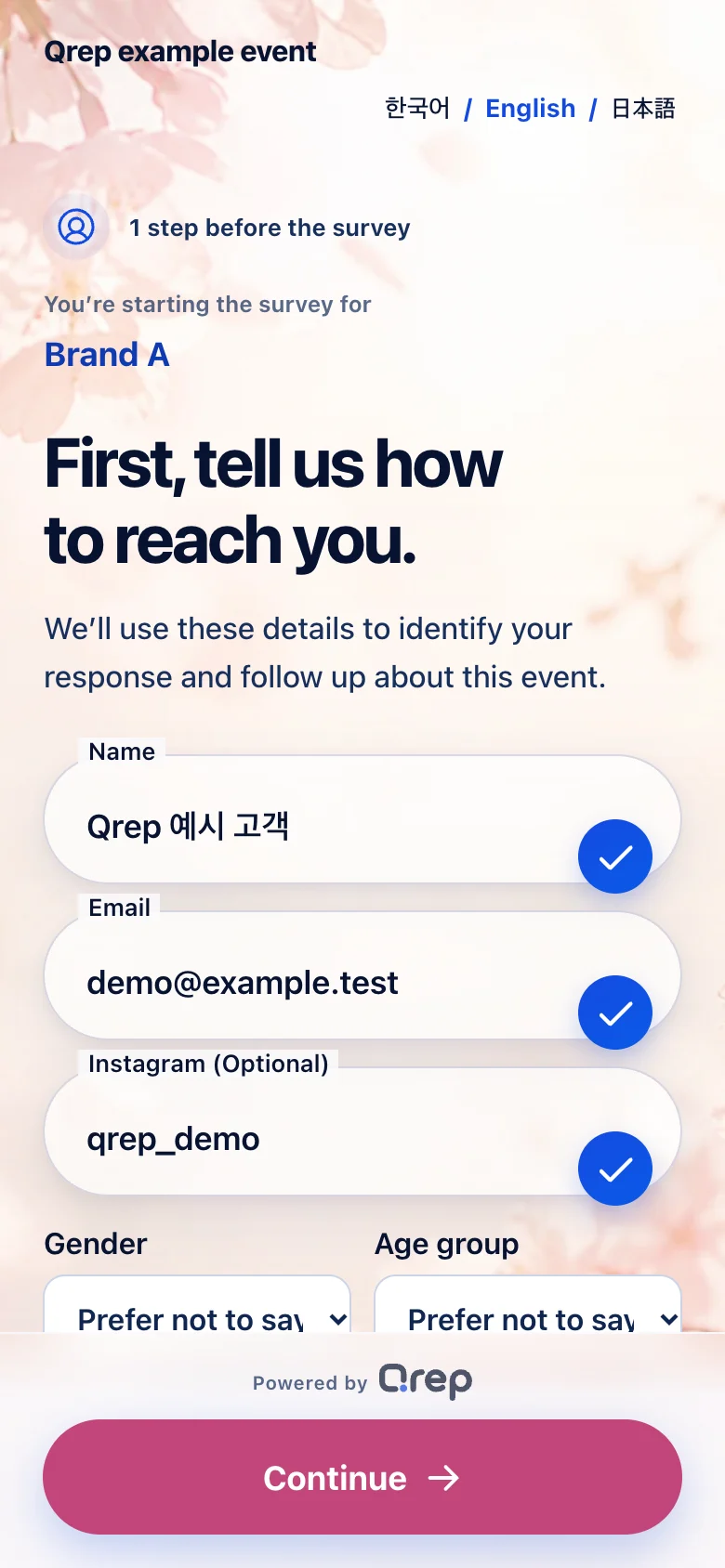
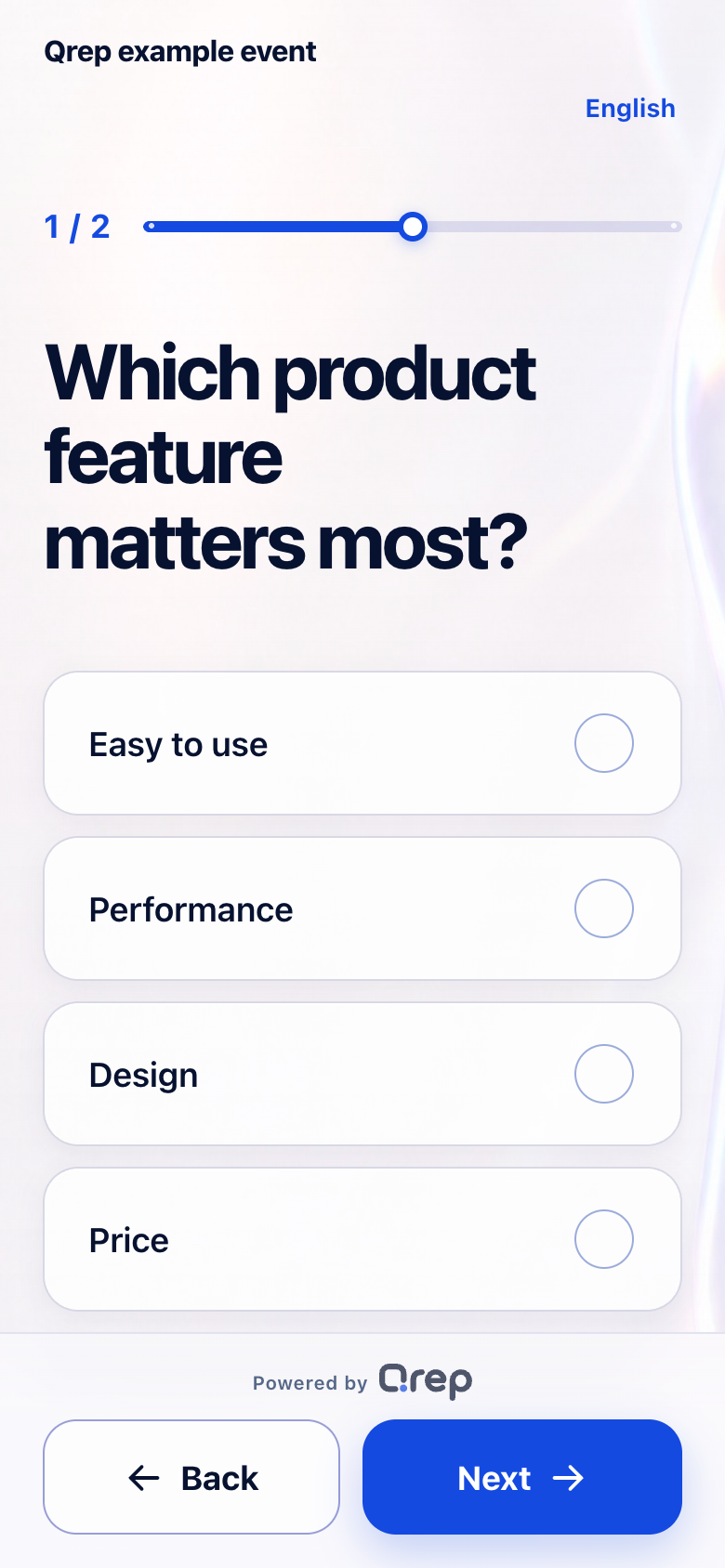
Choose an option, move a rating slider or write your own feedback. Explore single choice, multiple choice, rating and written-answer screens below.
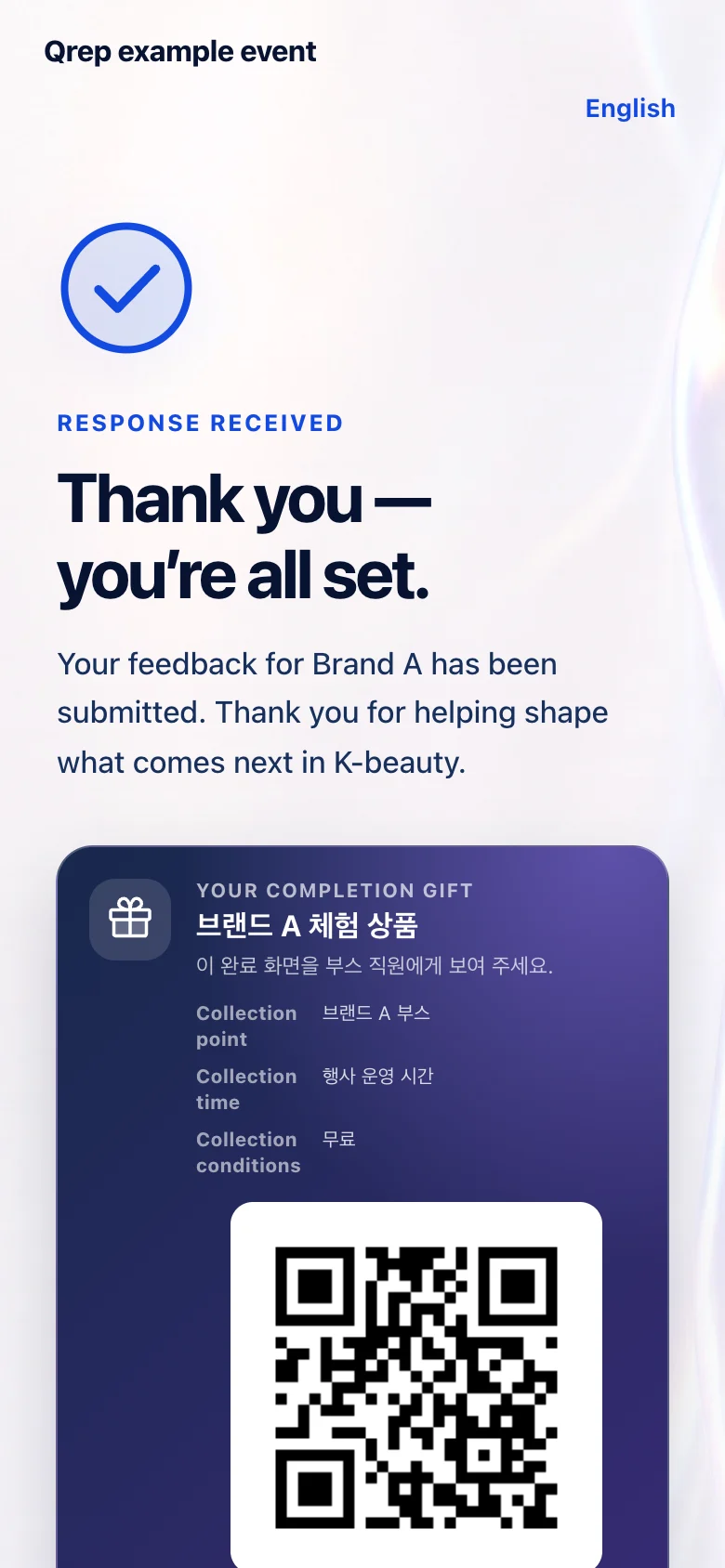
The completion screen shows the gift and where and when to collect it. Show this screen to the staff at the booth.
Check logos and questions on screen, not in chat.
Brand teams see the logo, survey questions, and deadline they need to review.
Only reviewed questions and logos reach participants.
Participants answer by QR and check their reward.
Responses and reward status are organized into brand results.
From surveys and response collection to reports for each brand, we help you set up Qrep around your event size and operating model.
Online ordering coming soon